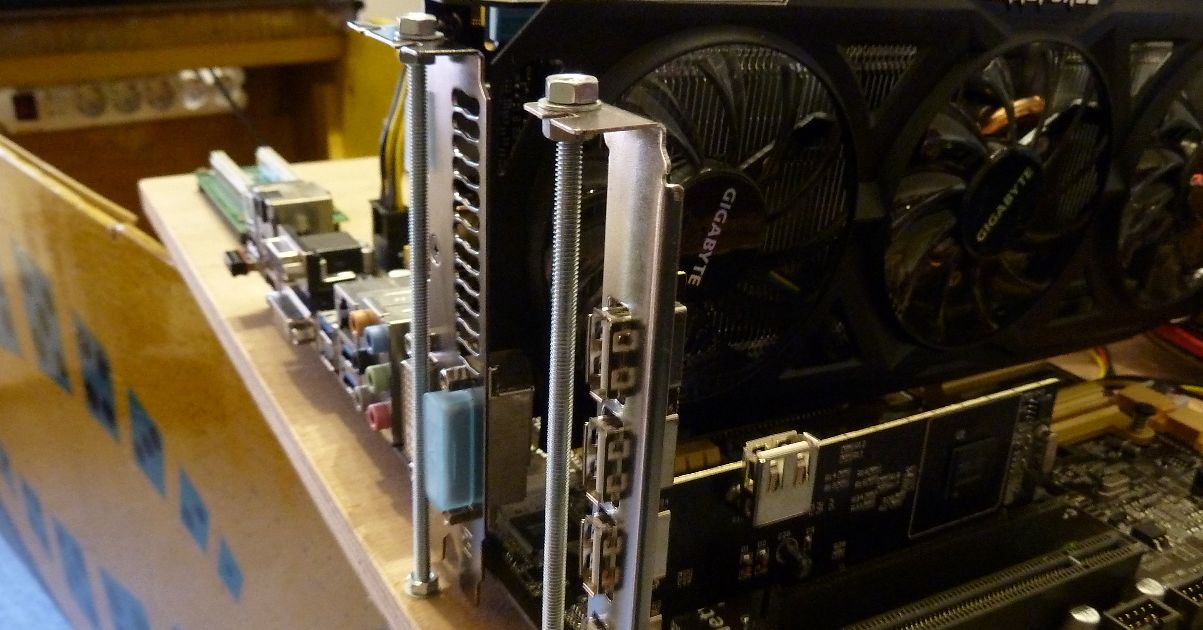
Die PC Komponenten sind nun auf dem Holzbrett im Flipper eingebaut. Dabei fiel mir auf, dass die Grafikkarte und die USB-Erweiterungskarte nicht wirklich sicher auf dem Mainboard halten und bei Erschütterungen oder Umzug des Flippers aus den PCI-Slots rutschen könnten. Daher musste noch eine kleine Befestigung mit Gewindestangen und ein paar Muttern her. Eine Fehlerquelle weniger, die Karten sitzen nun bombensicher auf dem Board.
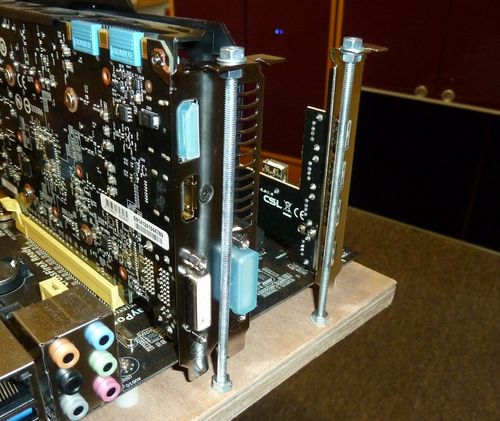
Sicherung der PCI Steckkarten auf dem Mainboard mittels Gewindestangen
Kommentare aus meinem alten Blog
Die folgenden Kommentare wurden am 29. September 2026 aus meinem alten Joomla-Blog übernommen und sind hier archiviert. Scrolle nach unten zum Kommentieren.
marno · Mittwoch, 09. Dezember 2015
I would like to know how to install the PC so it will start directly with Pinballx.
So when it boots, you will get the table to choose the tables.
Is it then possible to also include pinballfx2, virtual pinball, future pinball, pinmame?
Do you have an installation manual of the pinball PC available?
I do have roms of all the systems mentioned above.
I was searching for pre-configured pc’s but these were not available anywhere :)
Jan · Mittwoch, 09. Dezember 2015
First setup Windows - then install Visual Pinball with VPinMame (not so easy) and install some pinball tables. If everything works, you can install the PinballX frontend and include the testest tables. You can put PinballX in the autostart folder, so the PC starts directy into PinballX where you can choose the tables, you want to play.
If that works, you can install future pinball, pinballf2x etc. and include the tables to PinballX.Here is a manual how to install Visual Pinball: http://www.vpforums.org/index.php?app=tutorials&article=1